
VAT Invoicing for Small Businesses: Everything You Need to Know

VAT invoices must include specific fields to be legally valid — and getting them wrong can cost your clients their tax reclaim. This guide covers what a VAT invoice must contain, how reverse charge works for EU cross-border sales, VIES validation, and how Invotify handles VAT across 21 languages and 102 currencies.

Published 2026-06-14

What Is a VAT Invoice and When Do You Need One?

A VAT invoice is a specific type of invoice that a VAT-registered business must issue to document a taxable supply of goods or services. Unlike a standard commercial invoice, a VAT invoice carries legally required fields that allow the buyer to reclaim the VAT they paid as input tax in their own VAT return. Without these mandatory fields, the invoice is legally deficient and the buyer's VAT reclaim may be rejected by their tax authority.

You are required to issue a VAT invoice whenever you make a taxable supply to another business (B2B) and are registered for VAT — or in countries where the supply threshold has been crossed. For B2C sales (to non-registered individuals), a simplified invoice or till receipt is usually sufficient, though some countries require a full VAT invoice on request or above a value threshold.

Even if your annual turnover falls below your country's VAT registration threshold, understanding VAT invoice requirements matters the moment you register voluntarily or export to VAT-registered EU customers, who will expect a compliant invoice to support their reclaim.


Mandatory Fields on a VAT Invoice

The EU VAT Directive (2006/112/EC) specifies the minimum information a VAT invoice must carry for cross-border EU transactions. Most EU member states extend these requirements to domestic invoices as well. The mandatory fields include: supplier's full name, address, and VAT identification number; customer's full name, address, and VAT number (for B2B cross-border EU transactions); a unique sequential invoice number; the invoice date and supply date (if different); a description of goods or services with quantity and unit price per line; the applicable VAT rate per line; net amounts per line; total VAT by rate; the gross total; and the transaction currency.

For simplified invoices (typically allowed for supplies below €100–€400 depending on the country), some of these fields may be omitted — but simplified invoices cannot be used for cross-border EU B2B supplies. Always issue a full VAT invoice for any B2B transaction with an EU customer who has provided their VAT number.

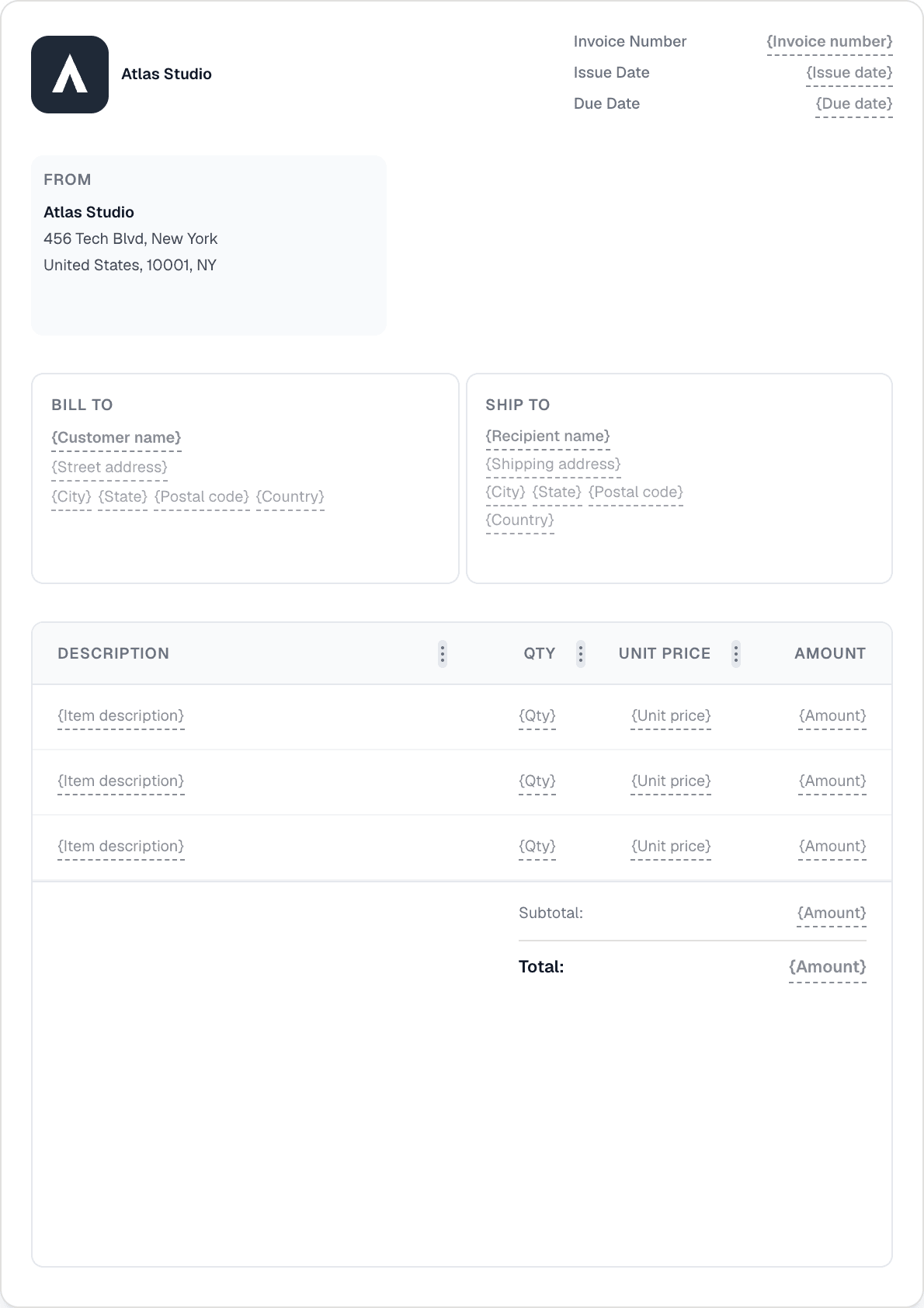
Invotify's invoice builder includes all mandatory VAT fields by default. The From block carries your VAT number (entered once in company settings). The Bill To block stores customer VAT numbers for future reuse. The Item Lines block displays VAT rate per line, net amount, and a tax breakdown summary. The generated PDF carries all required fields in a layout that most EU tax authorities recognise as compliant.

Understanding EU Reverse Charge VAT

The reverse charge mechanism is one of the most commonly misunderstood aspects of EU cross-border invoicing for small businesses. When you sell goods or services to a VAT-registered business in another EU member state, you do NOT charge VAT on the invoice — instead, the buyer accounts for VAT in their own country at their local rate. This is the reverse charge: the VAT obligation is "reversed" from the seller to the buyer.

From the seller's perspective, the invoice should: (1) show the net price with no VAT line; (2) state a 0% tax rate or leave the tax field empty; (3) include the buyer's EU VAT number; and (4) carry a reference to the reverse charge — the magic phrase is typically "Reverse charge — VAT to be accounted for by the recipient" or the equivalent local phrase. Some invoice templates also cite the specific article of the VAT Directive (Article 194 or 196 depending on the scenario).

The practical risk for small businesses is twofold: if you charge VAT on a cross-border B2B supply when you should be applying reverse charge, the buyer cannot reclaim it (because they need to account for it themselves instead), and your tax authority may treat your invoiced VAT as due regardless. Conversely, if you miss the customer's VAT number and do not apply reverse charge, you may need to correct the invoice.

How do I verify my EU customer's VAT number?
VIES (VAT Information Exchange System) is the official EU database for validating EU VAT numbers. Invotify includes built-in VIES validation — when you enter a customer's VAT number in the Bill To section, Invotify queries VIES and confirms whether the number is active and registered to a business in that EU member state. This validation is available on all Invotify plans (Starter and Pro alike) and provides the documentary evidence you need to justify zero-rate treatment for reverse charge supplies.
What if a customer gives me an invalid VAT number?
If VIES returns "invalid" or "not found" for a customer's declared VAT number, do not apply the zero-rate reverse charge — charge VAT at the applicable rate instead. Keep a record of your VIES query result in case your tax authority asks for evidence of due diligence. You can re-validate the number later if the customer corrects it.

Dual Tax (Two Tax Rates on One Invoice)

Some invoices cover goods or services subject to different VAT rates. A common example is a catering company invoicing for both standard-rated restaurant services and zero-rated food items, or a software firm that bundles a licence (standard-rated) with printed user manuals (potentially zero-rated in some jurisdictions). In these cases you need a dual-tax invoice — one that shows two separate tax rate lines with their respective net amounts and VAT amounts, plus the total VAT across both.

Invotify supports dual (and multi-rate) tax natively. Each line item carries its own tax rate. The tax breakdown at the bottom of the invoice groups and totals tax by rate — so a 21%-rate subtotal and a 0%-rate subtotal appear as separate lines, giving your client's accountant the breakdown they need for the VAT return. You can mix any number of rates on a single invoice without any configuration changes — just set the rate per line.

The dual tax feature is available on all Invotify plans. It is particularly useful for businesses operating across product categories with different VAT treatment — hospitality, publishing, mixed supply consultancies, or any sector where the tax classification varies by item.

Multi-Currency VAT Invoicing

If you invoice international clients in their local currency, VAT compliance adds a layer of complexity: your VAT return is usually denominated in your domestic currency, but the invoice is in a foreign currency. Most tax authorities require you to convert the foreign currency amounts to your domestic currency using an approved exchange rate (typically the European Central Bank rate on the invoice date or the rate published by your own tax authority for the relevant period).

Invotify supports 102 currencies. You can issue an invoice in any of those currencies; the VAT amounts shown on the invoice are in the billed currency. If you need to record the domestic-currency equivalent for your VAT return, your accountant will typically use the ECB rate or your tax authority's published period rate to convert the figures. Some businesses also add a reference note to the invoice showing both the foreign-currency amount and the converted domestic amount — this is good practice for transparency and can be added via the Notes/Terms block in Invotify.

VAT on Cross-Border Digital Services (OSS)

Since July 2021, EU businesses selling digital services (software, SaaS, e-books, online courses, streaming) to consumers in other EU member states must charge VAT at the rate of the customer's country, not the seller's country. The One Stop Shop (OSS) scheme lets you register once (in your home country) and file a single quarterly return covering all EU consumer sales, instead of registering in every member state where you have customers.

Invotify's per-line VAT rate configuration lets you set the correct rate for each EU country on individual line items. If you use an accounting or tax-filing tool that integrates with your invoice data, the VAT amounts Invotify records per sale feed directly into your OSS quarterly calculations. The structured e-invoice export (Pro/Lifetime) carries all required VAT data in machine-readable XML, which some OSS preparation services can ingest directly.

Common VAT Invoice Mistakes and How to Avoid Them

The mistakes that most commonly delay payment or trigger a client audit query are structural, not arithmetic. Missing the customer's VAT number on a cross-border B2B invoice, failing to state reverse charge when it applies, using a non-sequential invoice number, or omitting the tax breakdown by rate are all issues that cause client finance teams to return invoices for correction — which delays payment and damages credibility.

Can I amend a VAT invoice after issuing it?
Yes, via a credit note followed by a corrected invoice, or in some countries via a "corrective invoice". You cannot simply issue a replacement invoice with the same number — the original must be cancelled (typically by issuing a credit note for the full amount) and a new invoice issued with a new sequential number. Invotify's credit note feature lets you create a credit note against any existing invoice in seconds, with all the original invoice fields pre-filled for correction.
What is a pro-forma invoice and does it satisfy VAT requirements?
A pro-forma invoice is a preliminary document that looks like an invoice but is NOT a tax document — it does not create a VAT obligation and does not entitle the recipient to reclaim VAT. It is used to confirm the terms of a supply before it is made (e.g. for customs purposes or deposit requests). Only a proper VAT invoice, issued once the supply has been made, creates the VAT obligation. In Invotify, you can use a quote as a pro-forma document; when the supply is confirmed, convert it to an invoice.

Related Resources

Related Articles

Ready to send your first invoice?

Create a professional invoice in under a minute. No design skills needed.