
Invoice vs Quote vs Pro-Forma vs Credit Note: When to Use Each

Invoices, quotes, pro-forma documents, and credit notes are four distinct billing documents with different legal statuses and purposes. This guide explains what each one is, when to issue it, and how they relate to one another — with practical guidance on how Invotify handles each.

Published 2026-06-14

Four Documents, Four Different Legal Statuses

One of the most persistent sources of confusion in small business billing is treating quotes, pro-forma documents, invoices, and credit notes as interchangeable "invoice-shaped" files. They are not. Each document has a distinct legal status, creates different obligations between buyer and seller, and must be used at the right stage of a commercial transaction. Using the wrong document at the wrong time — or issuing an invoice before a job is complete when a quote was appropriate — can create accounting errors, tax complications, or contract disputes.

The core distinction is simple: a quote is a conditional offer; a pro-forma is a preliminary indication of terms (not a tax document); an invoice is a demand for payment and a legally binding tax document; and a credit note cancels or reduces a previously issued invoice. Each one exists at a different point in the commercial timeline: quote → agreement → delivery → invoice → (credit note if needed).

Quotes: Making an Offer Before the Work Begins

A quote (also called a quotation or estimate, depending on whether it is fixed-price or approximate) is a document you send to a prospective client before any work has started. It sets out the proposed scope, quantities, unit prices, applicable taxes, and the total price. A quote is an offer, not a demand for payment — the client is under no obligation to pay until they formally accept.

A quote becomes legally binding in different ways depending on jurisdiction and the terms in the document. In most EU jurisdictions, a quote accepted in writing (including by email) creates a binding contract. If you then deliver the work and the client disputes the price, the accepted quote is your primary documentary evidence.

Invotify's quote builder uses the same block-based template system as the invoice editor. You can build a fully branded, itemised quote and send it as a PDF with a client-facing share link. The client can view the quote on the portal and digitally sign it to indicate acceptance. Once accepted, you can convert the quote directly into an invoice in one click — all line items, client details, and tax rates carry across.

What is the difference between a quote and an estimate?
A quote is typically a fixed-price commitment — if the client accepts, you are bound to that price. An estimate is an approximation with an expectation that the final invoice may differ if scope or complexity changes. Legally, the distinction often depends on the wording in the document itself rather than what you call it. If you want flexibility to adjust the final price, include language in the Notes block clarifying that the estimate may vary based on [conditions].
Can a quote include a validity period?
Yes — and it is good practice to do so. A validity clause (e.g. "This quotation is valid for 30 days from the date of issue") protects you against a client accepting a months-old quote at a price that no longer reflects your costs. Add the validity period in the Notes/Terms block in Invotify.

Pro-Forma Invoices: Preliminary Documents, Not Tax Invoices

A pro-forma invoice looks like an invoice but is emphatically NOT a tax invoice. It is a preliminary document issued before a supply has taken place, used to communicate the expected price and terms to the buyer.

The critical legal point about a pro-forma invoice is that it creates NO VAT obligation. The buyer cannot use it to reclaim VAT — because no VAT has been charged (no taxable supply has been made yet). If you accidentally issue a real VAT invoice when you meant to issue a pro-forma, you have created a legal VAT obligation even if the supply has not occurred. Conversely, if a buyer tries to use a pro-forma to reclaim VAT, their tax authority will reject the reclaim.

Invotify does not have a dedicated "pro-forma invoice" document type, and for good reason: a pro-forma is functionally a pre-supply quote. Use the Invotify quote builder to create your pro-forma document. Label it clearly as "Pro-Forma Invoice" in the document header or Notes block. Because quotes are not tax documents in Invotify, they carry no VAT obligation — exactly the status a pro-forma should have. When the supply is confirmed and delivered, issue a real invoice (either by converting the quote or creating a new invoice).

The phrase "Pro-Forma Invoice" is a label that describes a document's purpose (preliminary), not a separate legal document type. In practice, many businesses use their quote template for pro-formas — adding the words "PRO-FORMA" prominently in the header to signal to their client's accounts team that this is not a payable tax document.

The most common use cases for a pro-forma are:

  • Requesting a deposit or advance payment before starting work
  • Providing customs authorities with a declared value for goods being exported before shipment
  • Confirming pricing for internal purchase-order approval processes at the buyer's end
  • Providing an anticipated cost summary before a quote has been formally signed off

Invoices: The Legally Binding Payment Demand

An invoice is a formal demand for payment issued AFTER a supply of goods or services has been made (or in some cases, for services, when the milestone being billed has been completed). An invoice creates a legal debt: the buyer is now obligated to pay the stated amount by the due date. For VAT-registered businesses, an invoice is also a tax document that records the VAT charged — and gives the buyer the right to reclaim that VAT.

The invoice date is legally significant. It is typically the date the VAT liability arises (the "tax point"). For services, the tax point is usually the earlier of the invoice date or the date of payment. For goods, the tax point is usually the date of delivery. Issuing an invoice before delivery of goods can create a tax point — meaning you owe VAT to your authority before you have been paid by your customer.

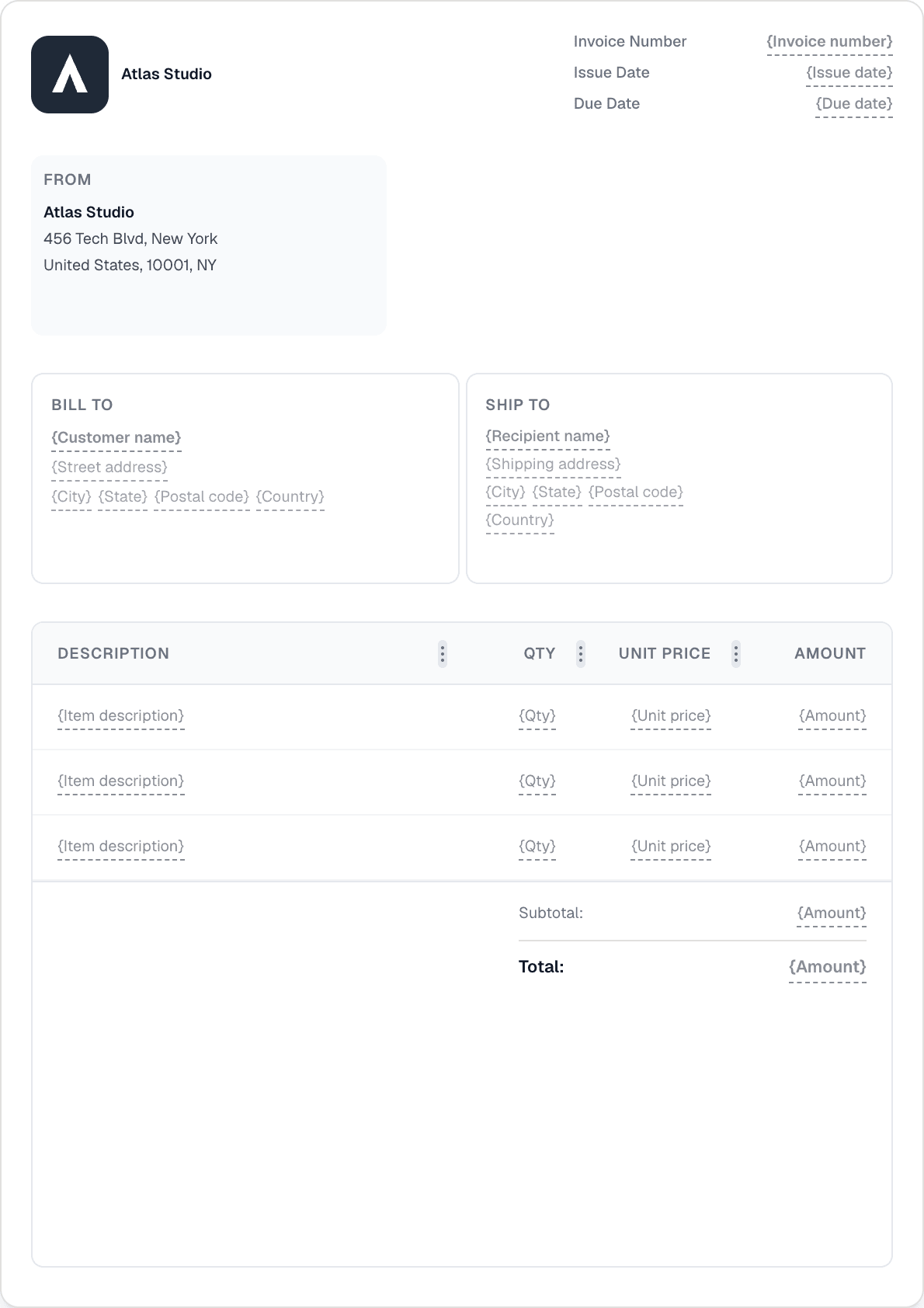
Invotify's invoice builder includes all the fields required for a legally valid VAT invoice: sequential invoice number, issue and due date, supplier and buyer details including VAT numbers, line-item breakdown with per-line tax rates, tax summary by rate, and the total amount due. All of these fields are pre-filled from your company and customer settings where possible — the mandatory structure is built in.

Credit Notes: Cancelling or Reducing an Invoice

A credit note is a document that partially or fully cancels a previously issued invoice. Common scenarios where you would issue a credit note include: goods returned by the customer; a price reduction agreed after the invoice was issued; a billing error on the original invoice that needs to be corrected; or a refund to a client for a cancelled order.

A credit note is a mirror image of an invoice: instead of charging the buyer, it credits them. The amounts are negative relative to the original invoice. For VAT purposes, a credit note cancels the corresponding VAT — both your output VAT (which you owe to the tax authority) and the buyer's input VAT (which they can no longer reclaim for the credited amount) are reduced. If the original invoice has already been included in a VAT return, the credit note adjusts the subsequent return.

In Invotify, credit notes are generated from the invoice detail page. Click "Create Credit Note" on the relevant invoice and all the original line items, tax rates, and client details are pre-populated. You can issue a full credit note (for the entire invoice amount) or a partial credit note (adjusting quantities or prices for individual lines). The credit note carries its own sequential number and reference to the original invoice number, which is the standard format most accounts departments require.

Can I issue a credit note against a partially paid invoice?
Yes. A credit note documents the amount being credited, regardless of payment status. If the client has already paid part of the invoice, you would typically issue a credit note for the uncollected balance and either refund the difference or agree to apply it as a credit against a future invoice. The credit note itself is independent of the payment — it corrects the accounting entry.
Is a refund the same as a credit note?
No. A credit note is the accounting document that reduces the buyer's liability. A refund is the actual return of money. You can issue a credit note without making a cash refund (if the credit will be applied to a future invoice), or you can make a cash refund alongside a credit note. In VAT accounting, the credit note is what adjusts the VAT records — the refund is purely a cash transaction.

The Commercial Timeline: Which Document to Use and When

To summarise the correct sequence for a typical service engagement:

Step 1 — QUOTE: Issue a detailed quote before starting work. Get it accepted (signed via the client portal, or confirmed by email). Step 2 — PRO-FORMA (if needed): If you need a deposit or need to give the client's procurement team a reference document, issue a pro-forma (using the Invotify quote template, labelled "Pro-Forma Invoice"). This is NOT a tax document. Step 3 — INVOICE: Once the work is delivered (or the agreed milestone is reached), issue a VAT invoice. This creates the legal payment obligation and the VAT tax point. Step 4 — CREDIT NOTE (if needed): If the invoice needs to be partially or fully reversed (error, return, cancellation), issue a credit note against the original invoice.

Progress invoicing adds another layer: for long projects, you may issue multiple invoices against a single accepted quote — each billing for a completed stage. Invotify supports progress invoicing on quotes. Enable the "Allow progress invoicing" toggle on the quote editor, then create stage invoices from the quote's progress view, each representing a percentage or fixed amount of the agreed total.

The key discipline is to use each document type at the correct stage and never substitute one for another. A quote is not a payable document; a pro-forma is not a tax document; an invoice creates real tax obligations. Keeping these categories clean protects both your accounting accuracy and your client relationships.

Related Resources

Related Articles

Ready to send your first invoice?

Create a professional invoice in under a minute. No design skills needed.