Temizlik işletmeleri için tasarlanmış fatura yazılımı
Düzenli müşteriler için tekrarlayan faturaları otomatikleştirin, gecikmiş ödemeleri düşünmeden takip edin ve işler arasında her şeyi telefonunuzdan yönetin.
Düzenli müşteriler için tekrarlayan faturaları otomatikleştirin, gecikmiş ödemeleri düşünmeden takip edin ve işler arasında her şeyi telefonunuzdan yönetin.
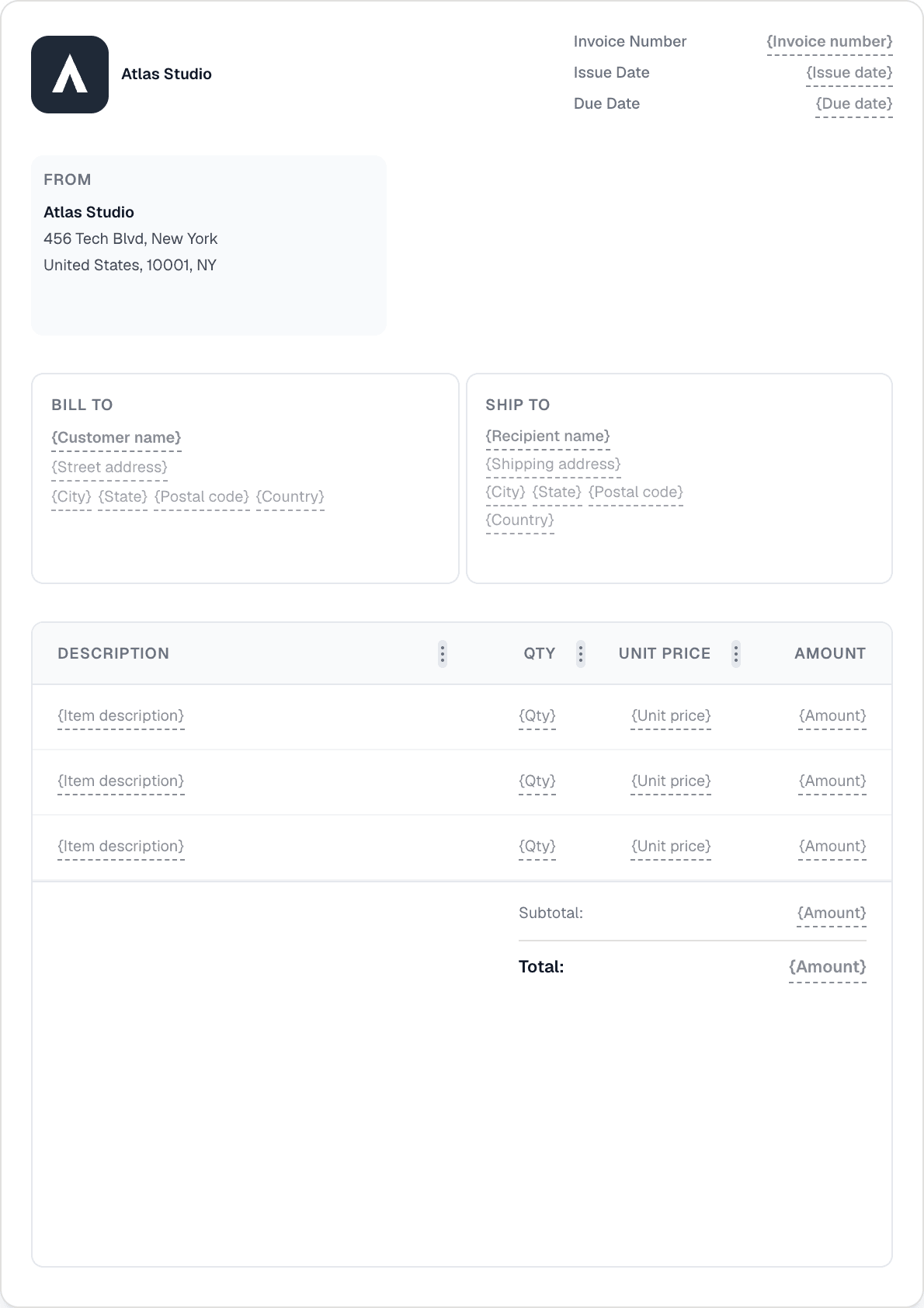
Her düzenli müşteri için haftalık veya aylık bir plan ayarlayın; Invotify faturayı otomatik olarak oluşturup gönderir. Beş tekrarlama deseni, özel aralıklar ve otomatik gönderme ile fatura siz parmağınızı bile kıpırdatmadan çıkar.
Tam Invotify deneyimi iOS ve Android'de mevcuttur. Faturalar oluşturun, ödemeleri kaydedin, bekleyen bakiyeleri kontrol edin ve hatırlatmalar gönderin — hepsi de sahadayken telefonunuzdan.
Bir hatırlatma programı yapılandırın; ödeme geciktiğinde Invotify müşterilere otomatik olarak e-posta gönderir. Gecikme ücretleri ekleyin — yüzde veya sabit, bir ödemesiz süreyle — böylece politika, sıkıcı bir telefon görüşmesi olmadan kendi kendine uygulanır.
Bir müşteri parça parça öderse, her ödemeyi tutar, tarih ve yöntemle kaydedin. Fatura, tamamen kapatılana kadar güncel kalan bakiyeyi gösterir.
Evet. Müşterinizin bilgileri, hizmet satır kalemleri ve haftalık tekrarlama ile tekrarlayan bir plan ayarlayın. Otomatik göndermeyi etkinleştirin; Invotify fatura PDF'ini her hafta vade tarihinde e-postayla gönderir — manuel iş gerekmez.
Ayarlar'da bir hatırlatma programı yapılandırırsınız — örneğin vadeden 3 gün önce, vade tarihinde ve 7 gün sonra hatırlat. Invotify, markalı hatırlatma e-postalarını bu programa göre otomatik olarak gönderir. Fatura sayfasından istediğiniz zaman manuel olarak da hatırlatma gönderebilirsiniz.
Evet. Invotify'ın tüm ana ekranlara — faturalar, müşteriler, ödemeler, planlar ve bildirimler — sahip yerel iOS ve Android uygulamaları vardır. Bir masaya oturmadan bir fatura oluşturabilir, bir ödeme kaydedebilir ve bir hatırlatma gönderebilirsiniz.
Kısmi ödemeleri faturaya karşı kaydedin — her biri bir tutar, tarih ve ödeme yöntemiyle. Kalan bakiye otomatik olarak güncellenir. Fatura, yalnızca tam tutar kapatıldığında Ödendi'ye geçer.
Bir dakikadan kısa sürede profesyonel bir fatura oluşturun. Tasarım becerisi gerekmez.